
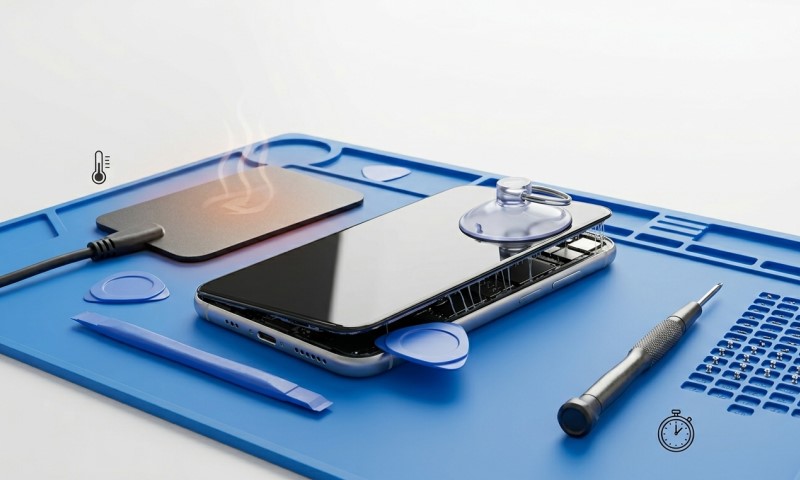
A surprising number of smartphone repairs fail before the repair even begins. Many damaged displays and torn flex cables happen during the opening process, not during the actual replacement.
Modern phones are built with strong adhesives, tight tolerances, and fragile internal connectors. Opening them without a careful approach can easily lead to expensive mistakes.
If you have ever wondered how professionals open a phone without cracking the screen or damaging internal parts, the answer comes down to controlled heat, identifying the correct entry points, and most importantly, patience.
This guide explains how to open a phone without damage using the same core principles technicians rely on every day. The goal is not speed but precision and safety.
Why Modern Phones Are Difficult To Open
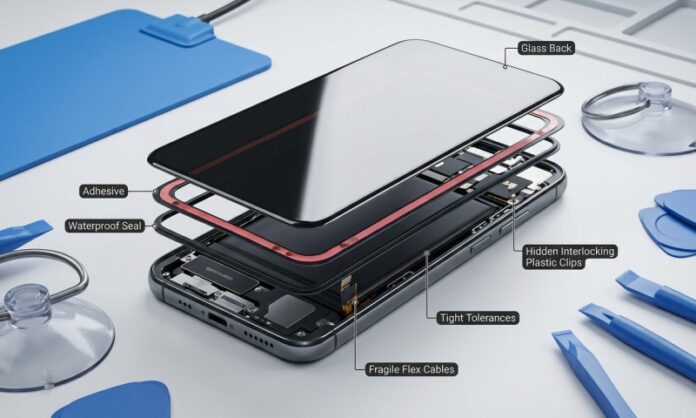
Before attempting any repair, it helps to understand why modern smartphones resist opening so strongly. Manufacturers intentionally design them this way to protect internal components and maintain water resistance.
Phones today often rely on a combination of structural elements:
- strong adhesive sealing the display or back cover
- thin glass panels that can crack under uneven pressure
- delicate ribbon cables located close to the edges
- water resistance gaskets and foam seals
All these factors mean that opening a phone requires controlled techniques instead of force.
Another complication is the placement of internal connectors. Many displays are attached with flex cables positioned only a few millimeters from the edge. If a tool enters the wrong point, the cable can tear instantly.
Understanding this structure helps explain why professional technicians approach the opening process slowly. A rushed opening attempt is one of the most common reasons phones suffer additional damage during repair.
Tools That Make Safe Opening Possible
Trying to open a phone with improvised tools is one of the quickest ways to cause damage. Precision tools exist for a reason. They control pressure, reduce scratching, and allow gradual separation of adhesive.
A well organized workspace normally includes several specialized items. A good phone repair kit often contains tools designed specifically for delicate smartphone construction. Many repair technicians prefer kits suppliers because they include tools sized for modern devices.
Here are the essential tools most technicians rely on:
- Plastic opening picks that slide between glass and frame without scratching
- Thin suction cups that gently lift the display to create the first gap
- Plastic pry tools that avoid short circuits and protect internal parts
- Precision screwdrivers designed for tiny smartphone screws
- Tweezers for handling connectors and small brackets
These tools reduce risk significantly. Metal objects such as knives or flat screwdrivers might seem convenient but can easily damage antennas, scratch the housing, or cut flex cables.
Using proper tools is often the difference between a clean repair and an accidental disaster.
Heat Control: The Secret To Releasing Adhesive
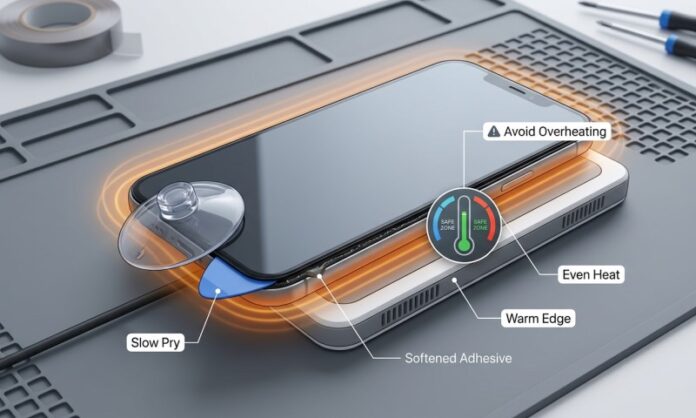
Heat plays a crucial role when opening most modern smartphones. Adhesive softens when warmed, allowing the display or back cover to separate without excessive force.
However, heat must be controlled carefully. Too little heat leaves adhesive stiff. Too much heat can damage internal components, especially batteries.
Technicians generally follow a few practical guidelines:
- Keep the temperature between 70°C and 90°C when using a heating mat or hot air source.
- Apply heat evenly around the edges rather than focusing on one spot.
- Warm the device gradually for several minutes instead of blasting high heat quickly.
A common method involves heating the phone for about two minutes and then attempting to create a small opening gap using a suction cup.
Once a gap forms, plastic opening picks can slide inside to slowly separate the adhesive.
Important fact
Lithium batteries inside smartphones can swell or degrade if exposed to excessive heat. Controlled warming is essential to protect the battery and surrounding components.
Finding the Correct Entry Point
Every phone model has a safer place to begin the opening process. Choosing the wrong edge can lead to broken glass or cut flex cables.
Most smartphones follow one of two opening styles:
- Display first opening where the screen lifts away from the frame
- Back cover opening where the rear glass or panel is removed first
Manufacturers often position display cables near the bottom or side. Starting near these areas increases the risk of damage.
Technicians usually begin opening from the upper corner or opposite side of the flex cable connection. This location gives more clearance and reduces the chance of cutting a cable.
When the first gap appears, sliding a thin plastic pick around the edge helps separate adhesive gradually.
Did you know?
Some modern smartphones contain adhesive strips stronger than those used in automotive trim. This explains why controlled heat and patience matter so much during opening.
Without heat, even professional tools may struggle to break the adhesive seal safely.
Step By Step Approach To Opening A Phone
A safe opening process follows a predictable rhythm. Each step builds on the previous one to reduce stress on fragile components.
Below is a simplified workflow technicians commonly follow.
Preparation stage
- Power the phone completely off
- Remove SIM trays and memory cards
- Clean the device edges to avoid debris entering the phone
Heating stage
- Apply gentle heat to the edges for several minutes
- Focus especially on corners where adhesive tends to be strongest
Gap creation
- Attach a suction cup to the display or back panel
- Pull gently to create a slight opening
- Insert a thin plastic pick into the gap
Adhesive separation
- Slide the pick slowly along the edges
- Insert additional picks to prevent adhesive from resealing
The process may take several minutes. Rushing this stage can easily crack glass panels.
Patience during this phase often determines whether the repair succeeds or fails.
Comparing Opening Methods
Different devices require slightly different opening techniques. The table below shows common methods and when they are typically used.
| Opening Method | Typical Devices | Key Advantage | Main Risk |
| Heated display lift | Many Samsung phones | Direct access to internals | Screen cracks if forced |
| Back glass removal | iPhones and some flagships | Safer access to battery | Glass fragments if mishandled |
| Frame separation | Rugged devices | Durable structure | Requires stronger tools |
After identifying the correct method, technicians usually consult teardown guides or diagrams to confirm cable locations before proceeding further.
The Role Of Patience In Successful Repairs
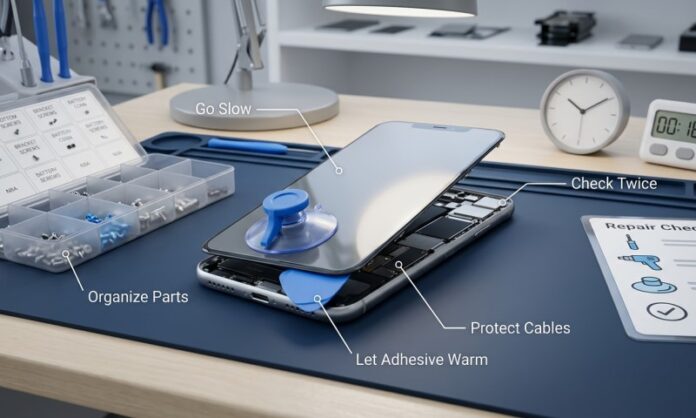
Opening a phone safely often takes longer than replacing the actual part. Many beginners underestimate how slow the process can be.
Professional technicians frequently spend 10 to 20 minutes just opening the device.
This slower pace helps avoid common mistakes such as:
- cracked glass panels
- torn display flex cables
- damaged fingerprint sensor cables
- scratched internal components
Rushing the opening stage usually leads to higher repair costs later.
Signs You Should Stop And Reassess
Even experienced technicians sometimes pause during a repair. If something feels wrong during the opening process, stopping is often the safest choice.
Watch for warning signs such as:
- glass bending instead of lifting
- adhesive refusing to release after heating
- unusual cracking sounds
- resistance in one specific area
These signals often indicate hidden screws, stronger adhesive, or cables nearby.
Reheating the phone and checking diagrams can prevent accidental damage.
Many repair professionals follow a simple rule: if resistance feels unusual, stop and reassess rather than pushing harder.
Learning From Professional Repair Practices
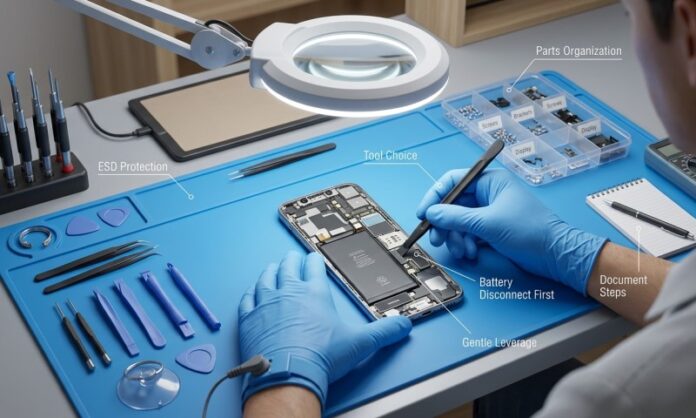
Experienced technicians follow a few habits that dramatically reduce risk when opening smartphones.
They typically focus on preparation and consistency.
- Work under bright lighting to clearly see edges and seams
- Keep track of screws using magnetic mats or labeled containers
- Use multiple opening picks to keep adhesive from resealing
- Take photos during disassembly to remember cable locations
These small habits add structure to the repair process.
Professional repair shops train technicians to prioritize careful opening because once internal parts break, the repair becomes far more complicated.
Learning these habits early can make home repairs much more successful.
Conclusion
Opening a phone without damage requires more than just the right tools. It requires a mindset built around patience, careful heat control, and understanding where to begin the separation process.
Modern smartphones rely on strong adhesives and tightly packed components, which means the opening stage deserves the most attention. Rushing this step often leads to cracked displays or torn cables that make repairs more expensive than expected.
With controlled heat, proper tools, and a slow approach, even tightly sealed phones can be opened safely.